Help & troubleshooting
Connecting the Figma plugin, fixing common issues, and answers to the questions we get most.
Connect the Figma plugin
SVG export, gradients and Pro settings in the plugin need your TopoLines API key, once.
Get your key on topolines.app
Log in at topolines.app/app, then click the small Figma icon in the top-right of the left panel. A "Figma API Key" popup shows your key with a copy button.
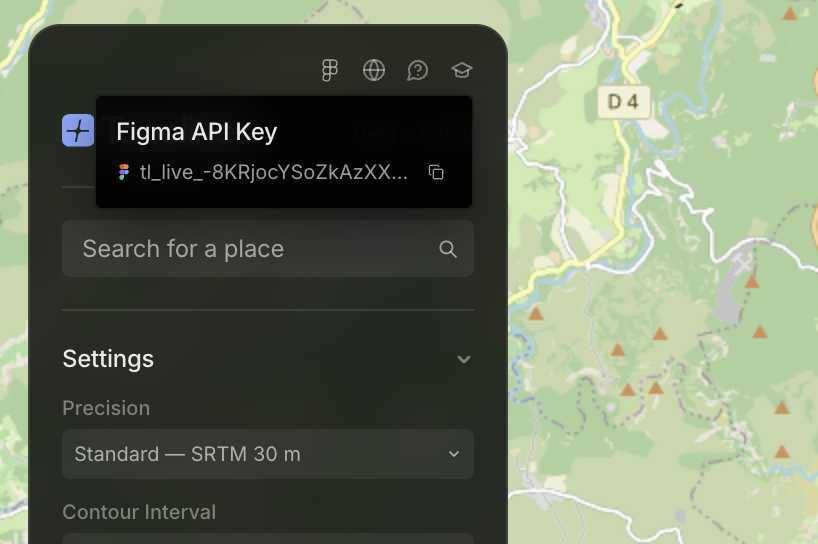
Paste it into the plugin
In Figma, open the TopoLines plugin and click the account icon in the bottom bar. Paste your key into the "TopoLines API Key" field.
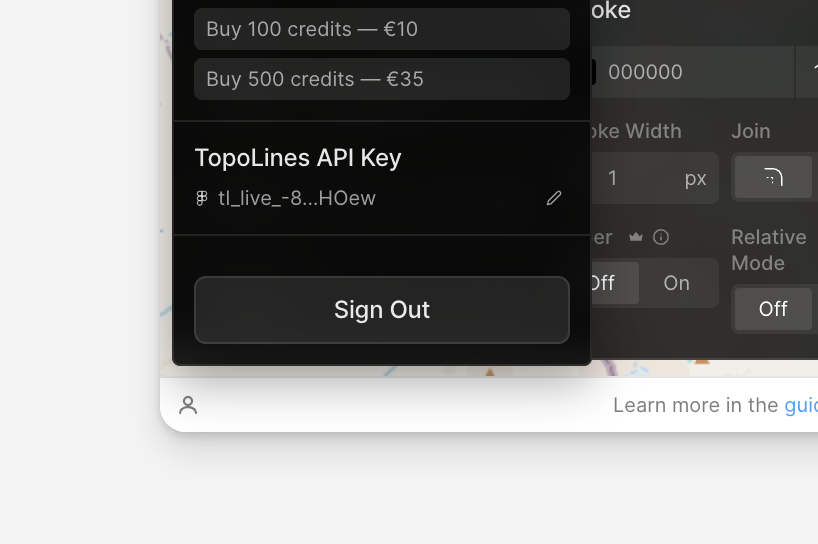
You're connected
Your credit balance appears in the plugin, and SVG export, gradients and the higher area limit unlock immediately — no need to reopen anything.
Troubleshooting
The most common issues, and the fastest way to fix them.
Nothing happens when I click "Generate Contours" in the Figma plugin
Fully reload the Figma tab (not just close/reopen the plugin panel — Figma keeps the plugin's code running in the background, so closing the window doesn't reset it). If it's still stuck, open the account menu and sign out, then back in — a leftover Pro setting from a previous session can silently block the free tier.
My download opened as a broken file instead of an image
Download links are single-use and expire after 60 seconds for security. A download manager extension probing the link before the real download can burn that single use. Try disabling it for topolines.app, or use your browser's built-in downloads.
My first export takes forever (30–50 seconds)
That's expected on the free hosting tier: the server falls asleep after ~15 minutes of inactivity and takes about 50 seconds to wake up on the next request. Every export after that is fast again until it goes back to sleep.
I paid but don't see my credits
This happens if you checked out with a different email than the one you log in with. Head to the claim page and enter your order ID and checkout email (both are in your Lemonsqueezy receipt) to move the credits onto your account.
The Figma plugin looks outdated / a reported fix doesn't seem to be there
Make sure you're on the latest published version — reopen it from Plugins → search "TopoLines" rather than a pinned/cached entry. If you're testing a specific fix with us directly, ask for the dev build via Plugins → Development → Import plugin from manifest.
SVG export or gradients are greyed out
Those are Pro features — they need a paid plan and require you to be signed in with your API key in the plugin (see the connection steps above), or logged in on the web app.
More questions
See also the full FAQ for product and pricing basics.
Do I need an account to try TopoLines?
Yes — sign in with Google or GitHub (free) to generate and export. The free tier then covers a single zone, standard 30 m terrain and PNG export. A paid plan unlocks SVG export, gradients, taper and larger areas.
What's the difference between the web app and the Figma plugin?
Same generation engine and export quality. The web app is better for fine-tuning a map on a big screen (annotations, multiple zones, batch export); the plugin drops the result straight onto your Figma canvas without leaving the file.
Is the exported SVG actually editable in Figma / Illustrator?
Yes — contours import as real vector paths, grouped by elevation level (or flattened into one shape if you enable Flatten), not an embedded image.
What area sizes are allowed?
Free: one zone, up to 100 km². Pro: up to 2000 km² per zone, plus multiple zones and batch export.
Do credits expire?
Never. Buy a pack whenever you need it — credits stay on your account until you use them.
Can I use the exports commercially?
Yes — the contour line art you generate is yours to use in your own projects, prints and products.
Still stuck? Email us and we'll help you out.